
Florida Department of Financial Services
Create a New Submission
Contact Information
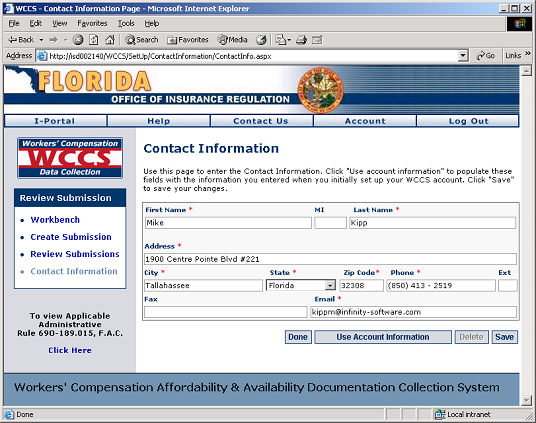
1. Enter the contact information of the main individual responsible for generating the submission by filling in the form provided on the Contact Information screen. The red asterisk (*) is placed next to fields where information is required. Fields that do not have an asterisk next to them are optional.
If the person responsible for creating the submission is the same person who manages the insurer's account with WCCS, click the Use Account Information button to automatically fill-in that person's contact information.
2. Click the Next button to proceed.
WCCS: Contact Information Screen
Next Step: