

-----------
Helpful
Hints
-----------
Note:
To view these pages without having to scroll horizontally, you must set your resolution at 1280 X 1024 pixels.
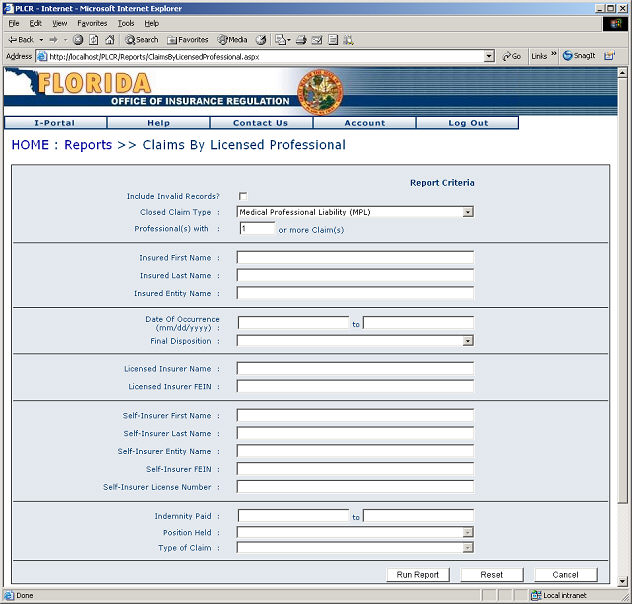
Claims by Licensed Professional ReportsUpon clicking the Claims by Licensed Professional link from the Report Selection page the Claims by Licensed Professional page will display. This powerful reporting tool allows you to query PLCR data to report on claims by a licensed professional. To Conduct a Claims by Licensed Professional Report:
The Claims by Licensed Professional Report Page
On the results page you can choose to conduct a new report, print the report, or export the results to a MS Excel comma separated file.
To conduct a new report click the New Report button.
To export your results click the Export Report button.
To print your report click the Print button.
|