
Florida Department of Financial Services
Create a New Submission
Underwriting Change Explanation
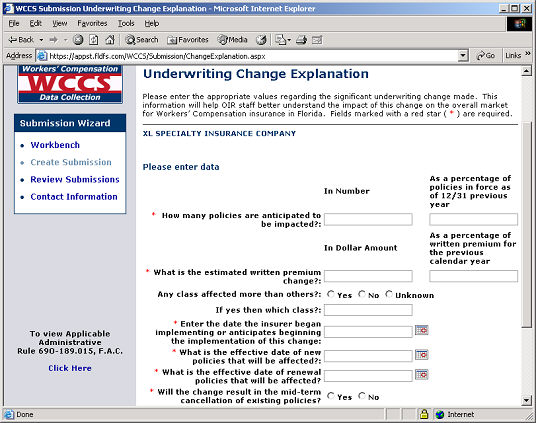
If you answered 'Yes' to any of the questions presented on the Underwriting Change Questionnaire screen, you will then be taken to the Underwriting Change Explanation screen. This screen allows you to provide the required information regarding the significant underwriting changes made.
Complete the form by filling in the fields provided with the appropriate information.
WCCS: Underwriting Change Explanation Screen
Documentation can be uploaded to provide additional support for the underwriting changes. To upload a document, click the Upload/Remove Document button. To upload/remove a document, click here.
Next Step: