The New Aggregate Report Wizard will guide you step-by-step through
creating a new aggregate report for claims. After entering all data pertaining
to a given aggregate report you may review the data before submitting
it to the Office of Insurance Regulation.
To Start a New Aggregate Report :
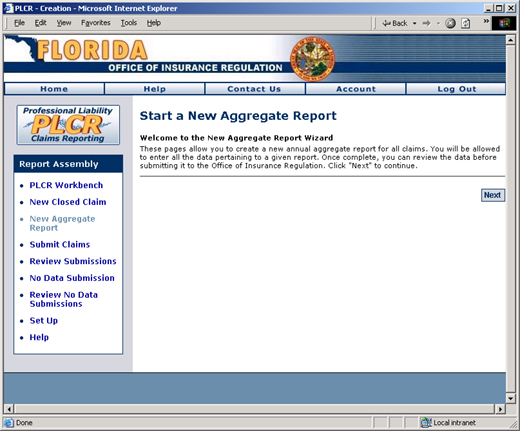
Click the New
Aggregate Report link from the PLCR Workbench task bar. The
Start a New Aggregate Report page will display.
Click the Next
button to continue. The Select OIR Licensed Insurer An entity licensed by OIR under Chapter 624 (p. III) or Chapter 641 (p. I) of the Florida Statutes. page will display.
The Start a New Aggregate
Report Page
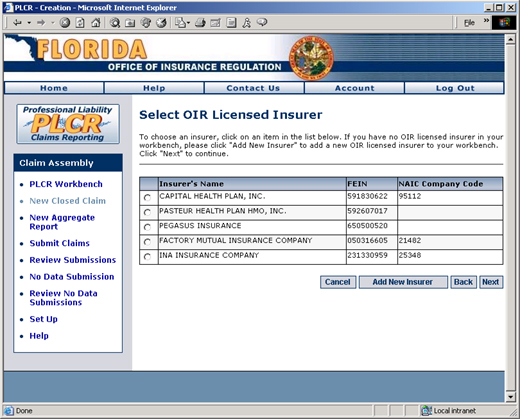
Select OIR Licensed Insurers:
To choose an insurer, click the radio button next
to the insurer in the list of available licensed insurers. If you have
no OIR licensed insurer in your Workbench, click the Add
New Insurer button to add a new OIR licensed insurer to your Workbench.
Visit the
Setting Up a
Licensed Insurer help page for more information about adding a new
licensed insurer.
The Select OIR Licensed Insurer Page
Click the Next
button. The
Select Reporting Year page will display.
Select Reporting Year
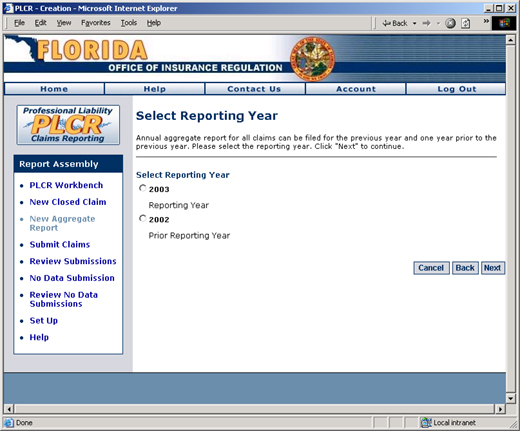
Select the reporting year. An annual aggregate
report for all claims can be filed for the previous year and one year
prior to the previous year. In the example below, the current year is
2004.
The Select Reporting
Year Page
Click the Next
button. The Select Policy Type page will display.
Select Policy Type
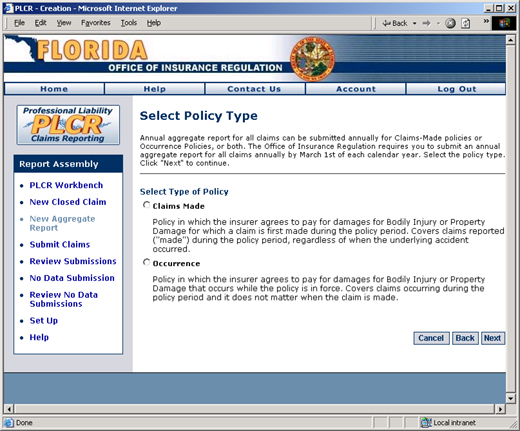
Select the type of policy, Claims Made or Occurrence.
Annual
aggregate report for all claims can be submitted annually for Claims-Made
policies or Occurrence Policies, or both. The Office of Insurance Regulation
requires you to submit an annual aggregate report for all claims annually
by March 1st of each calendar year.
Claims Made
- A policy in which the insurer agrees to pay for damages for Bodily Injury
or Property Damage for which a claim A demand for payment from a self-insured entity or an insurer for losses sustained by a claimant. is first made during the policy period.
Covers claims reported ("made") during the policy period, regardless
of when the underlying accident occurred.
Occurrence
- Policy
in which the insurer agrees to pay for damages for Bodily Injury or Property
Damage that occurs while the policy is in force. Covers claims occurring
during the policy period and it does not matter when the claim is made.
The Select Policy Type
Page
Click the Next
button. The Enter Report Name page will display.
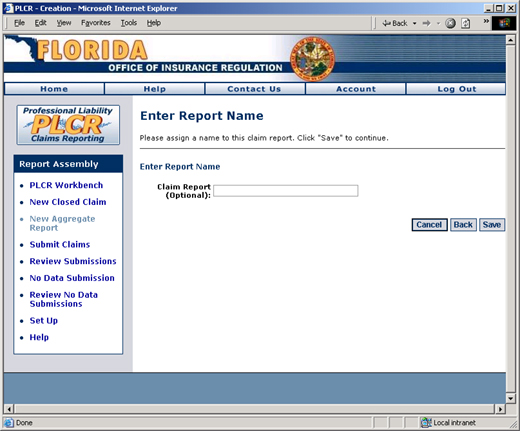
Enter Report Name
You may choose to name your report. This
is optional, but it is useful for future reference. Enter
the desired name of the report.
The Enter Report Name
Page
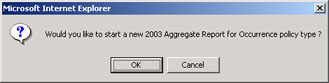
Click the Save
button. You
will be prompted with the following dialog box. If you click the OK button, you will begin a new aggregate
report for the chosen policy type (i.e., the new aggregate report wizard
will re-start) . If
you click the Cancel button, the
Aggregate Claims Reporting Summary page will display.
You've now completed the initial steps for creating your new aggregate
report for claims. Please review Step
2 - Understanding the Claim Summary Page before filling in specific
details in your aggregate report.